
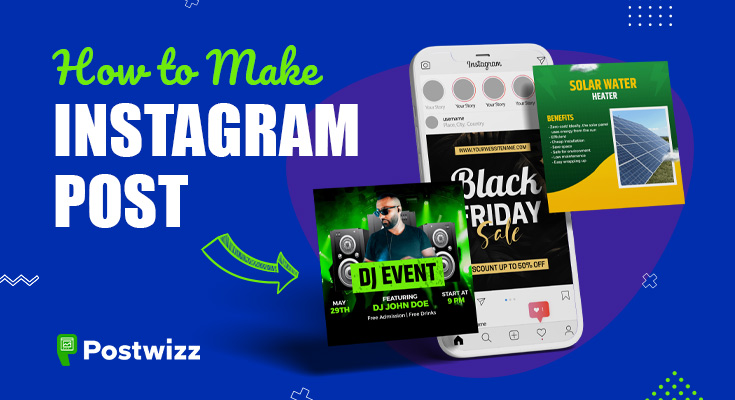
Unlock the secrets of Instagram success! Learn how to make Instagram post that boost your online presence with our expert guide.
Instagram has become one of the most popular social media platforms for sharing moments, stories, and creative content.
Whether you’re a business owner, a social media influencer, or someone who loves sharing their daily experiences, knowing how to create an engaging Instagram post is essential.
Follow this step-by-step guide to create and upload impressive Instagram posts that captivate your audience and stand out.
Tap on the button below and create a stunning Instagram post design with the social media post maker.
Table of Contents:
How to Make Instagram Post
- Open the Instagram App
- Access the Posting Screen
- Choose the Type of Post to Create
- Edit Your Post (Optional)
- Write a Caption
- Add Hashtags (Optional)
- Tag People (Optional)
- Add Location (Optional)
- Choose Posting Options (Optional)
- Preview Your Post
- Post Your Content
- Edit the Post
1. Open the Instagram App
- Start by opening the Instagram application on your mobile device.
2. Access the Posting Screen
- Tap on the “+” icon located at the bottom center of the screen to access the posting screen, where you can create new content.
3. Choose the Type of Post to Create
- Instagram offers several post options, so select the one that best suits your content:
a. Create an Instagram Feed Post
- Photo Post: Upload a single photo from your gallery or take a new one using the app’s camera.
- Video Post: Record a video or select one from your gallery.
- Carousel Post: Choose multiple images or videos to create a swipeable post.
b. Create an Instagram Reel
- Instagram Reels are short, entertaining videos.
- Tap on the Reels option and start recording or uploading a pre-recorded video.
c. Create an Instagram Story
- Swipe right from the home screen to access Instagram Stories.
- You can capture photos, videos, or add existing media to create a story.
d. Create an Instagram Live Video
- Go live by tapping the camera icon and selecting the “Live” option.
- Engage with your followers in real time.
4. Edit Your Post (Optional)
- Instagram provides basic editing tools for both photos and videos.
- Enhance your visuals with filters, brightness adjustments, and more.
5. Write a Caption
- Craft a compelling caption that complements your content.
- Keep it concise, yet engaging, as captions play a vital role in conveying your message.
6. Add Hashtags (Optional)
- Including relevant hashtags increases the discoverability of your post.
- Research popular and niche hashtags related to your content.
7. Tag People (Optional)
- Tag other users in your post to notify them and increase the likelihood of engagement.
8. Add Location (Optional)
- If your post is location-specific, add a location tag to connect with local audiences.
9. Choose Posting Options (Optional)
- Instagram allows you to cross-post to other social media platforms or save the post as a draft for future publishing.
10. Preview Your Post
- Before hitting the “Post” button, preview your content to ensure it looks visually appealing and error-free.
11. Post Your Content
- Once you’re satisfied, post your content and let your creativity shine!
12. Edit the Post
- Typos happen! If you notice an error after posting, tap the three dots next to your name, select “Edit,” make the adjustments, and save.
How to Design Instagram Post
- Open Social Media Post Maker App
- Tap On The Instagram Post Button
- Explore The Templates
- Select Your Desired Template To Edit (Edit Button)
- Meta Title
- Time and Date
- Images
- Contact Details
- Description
- Save
- Share
1. Open Social Media Post Maker App
- To get started, you can use the social media post maker app available for both Android and iOS.
- This app comes with pre-designed templates and editing tools, making it easier for you to create stunning posts without any design skills.
2. Tap On The Instagram Post Button
- Once you’ve opened the post maker app, choose the “Instagram Post” option to begin the creation process specifically tailored for Instagram’s dimensions.
3. Explore The Templates
- Next, explore the Instagram post templates available in the app.
- Look for templates that align with your brand or the theme of your post. Remember to keep your target audience in mind while selecting the design.
4. Select Your Desired Template To Edit (Edit Button)
- Select your preferred template and tap on the “Edit” button to start customizing it according to your needs and preferences.
5. Meta Title
- Add a catchy meta title to your post that gives your audience a clear idea of what the content is about.
- Use attention-grabbing words and phrases to entice viewers to read further.
6. Time and Date
- If your post is time-sensitive or related to a particular event, mention the date and time in a visually appealing way on the post.
7. Images
- Choose high-quality images that resonate with your message.
- You can use your own images or access stock images from the app’s library.
8. Contact Details
- If applicable, provide contact details such as a phone number, valid email address, or website link to encourage your audience to reach out to you.
9. Description
- Craft a compelling description that complements the visuals and provides additional context or information about the post.
10. Save
- Once you’re satisfied with the design, save the post to your device or directly share it on your Instagram account.
11. Share
- Share your masterpiece with your followers on Instagram and watch the engagement pour in!
You can also insert graphics, text art, and shapes along with the resize tool to further personalize your post and make it visually captivating.
Conclusion
Creating an Instagram post is an art that requires creativity, strategy, and an understanding of your audience.
Whether you opt for a post maker app or create content within the Instagram app, following this step-by-step guide will help you produce visually captivating and engaging posts.
Remember to stay authentic, stay true to your brand, and interact with your audience regularly to build meaningful connections.
Now, it’s time to unleash your creativity and make Instagram posts that leave a lasting impression on your followers!
FAQs On How to Make Instagram Post
A1: Use the social media post maker app, tap on the “Instagram Post” button, explore templates, select one to edit, add a catchy meta title, time and date, high-quality images, contact details, and a compelling description. Save and share the post on your Instagram account.
A2: Creating visually captivating posts enhances engagement, attracts more views, followers, likes, and shares, and establishes a sense of authenticity and professionalism, ultimately contributing to your success on the platform.
A3: To boost engagement, include high-quality images, a catchy meta title, a compelling description, relevant hashtags, and interact with your audience regularly. Additionally, stay authentic and true to your brand identity.